
The importance of professional web design
Professional web design matters for every business. Your website is often the first contact between you and a potential client, and it sets the tone for the relationship. Good design isn't only about looks. It covers structure, usability, accessibility, search visibility and the overall experience.
Why it matters for your business
When competitors are a click away, a weak online presence costs you. A professionally built website reflects how you work, delivers a clear brand message and supports your goals. It's where branding, marketing and customer service come together. Look at almost any sales funnel and you'll see that nearly all of your marketing flows through your website.
Search engines also favor well-structured, well-optimized websites. Professional web design accounts for that from the start, which gives you a much better chance of being found. Do-it-yourself platforms, and most low-cost web designers, leave this part out. Built thoughtfully, your website becomes one of your most valuable business tools.
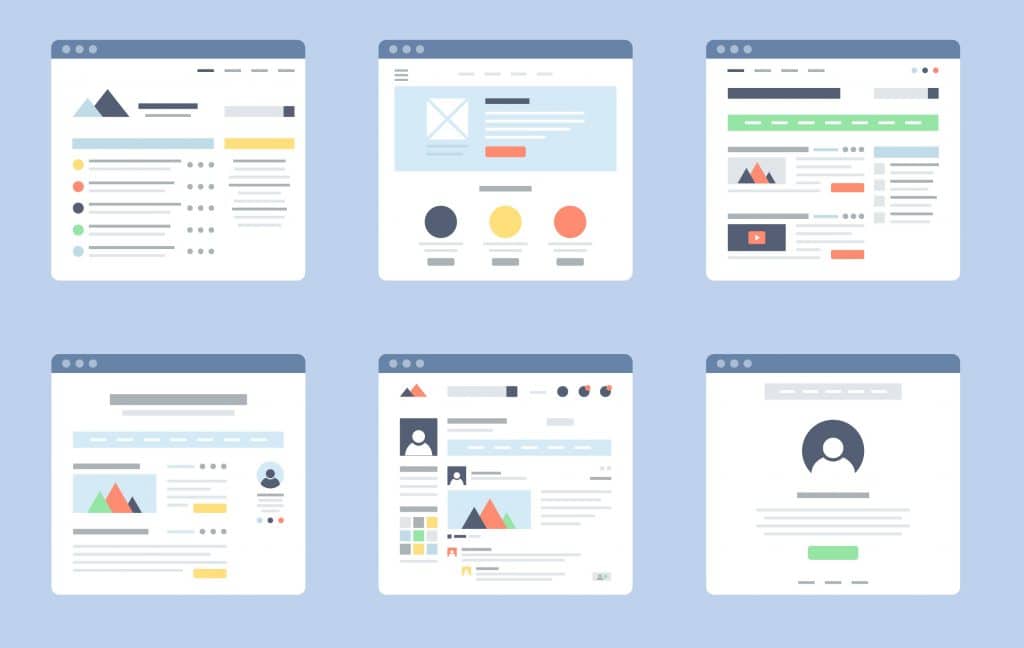

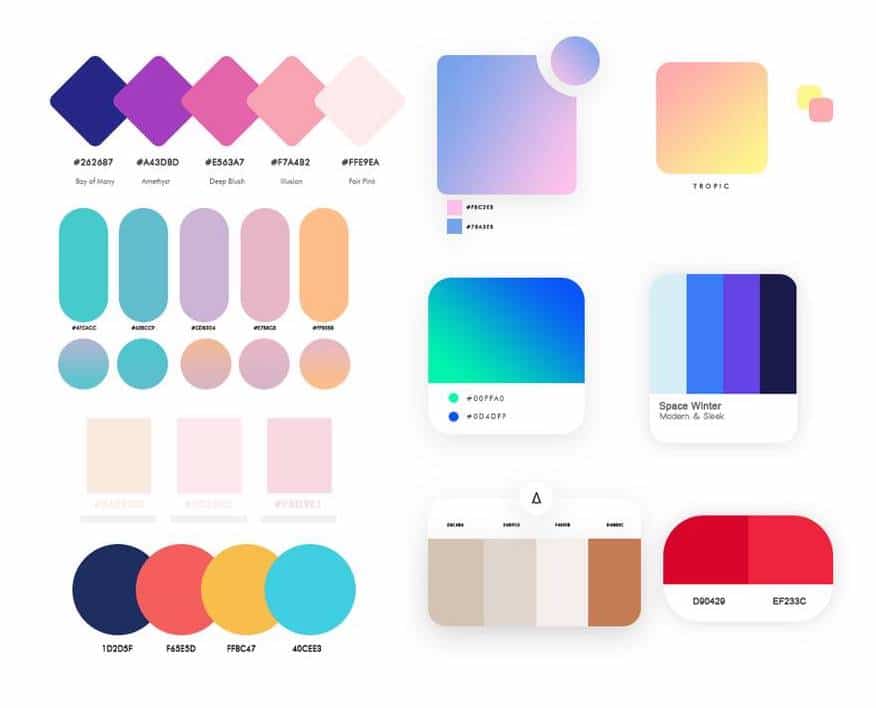
Understanding the intricacies of a website involves distinguishing between its two main components: the front end and the back end. The front end of a WordPress site is what visitors interact with directly. It encompasses the website's design, including layout, colors and fonts, as well as the content visible to the user, such as text, images and multimedia. Essentially, the front end is the face of your website, designed to be engaging and intuitive for users. Creating your front end with templates is the selling point of most DIY platforms.
On the other side, the back end is the server-side infrastructure that powers the site. This is where the site administrator (the webmaster, like Sweetpea Works) manages content, design, functionality and the all-important SEO settings. It includes WordPress's core software, themes, plugins, security, site optimization and the database that serves your content to the public. The front end is about the user experience; the back end is about functionality, security, content management and search performance. Both matter equally.
Benefits of investing in professional web design
Professional web design pays off in many ways, from a responsive layout that adapts to every device to SEO that strengthens your online presence. Strong security built into the design protects both your business and your customers from cyber threats.
In the end, investing in professional web design is more than paying for a good-looking site. It's commissioning a business asset that supports growth, builds trust and shows your commitment to quality. Businesses that care about their customers' online experience show foresight, and customers notice.


Sales funnels: the critical role of websites
A website isn't a digital brochure. It's a platform for interaction, education and conversion, where first impressions form and relationships begin. In a sales funnel, your website is the first and sometimes most important touchpoint. It's where people become aware of you, get interested, make decisions and take action.
How websites support each stage of the funnel
- Awareness Stage: At the top of the funnel, websites can use SEO and content marketing to attract visitors. Articles, infographics and social media content are used to create brand awareness.
- Consideration Stage: Here, websites serve to educate and engage. Webinars, ebooks and detailed product pages provide in-depth information to help visitors evaluate their options.
- Decision Stage: At this crucial juncture, websites employ persuasive elements like testimonials, reviews and live demos. Clear calls-to-action (CTAs) and easy navigation toward purchase or contact pages are vital.
- Retention Stage: Post-purchase, websites focus on customer loyalty and advocacy through support pages, knowledge bases and membership areas. This ensures a continuous engagement loop, turning customers into brand ambassadors.
In short, a website isn't just one part of the sales funnel. It sustains the funnel at every stage. With the right mix of content, personalization and integration, your website guides prospects through their buying journey, improving the customer experience and helping you turn more visitors into clients.
Factors that influence cost
If you're planning your digital presence, it helps to understand what drives the cost of a professional website. From design details to technical functionality, several factors shape the final price.
The web developer's experience and knowledge
Skilled web developers bring a deep portfolio and knowledge that affect a project's cost. Their experience streamlines the process and delivers a site that works as well as it looks, a worthwhile investment in a long-term solution. A good developer also takes the time to learn your field so the site works hard in your sales funnel.
Content optimization
Content is what the public sees, and it carries a lot of weight. Quality content that reflects your brand's voice and engages your audience is essential. Optimizing it for readability and conversions adds value and affects the overall cost. If your current website is underperforming, the content probably isn't optimized or engaging your audience, and that's often a sign your SEO is weak or missing.
Search engine optimization (SEO)
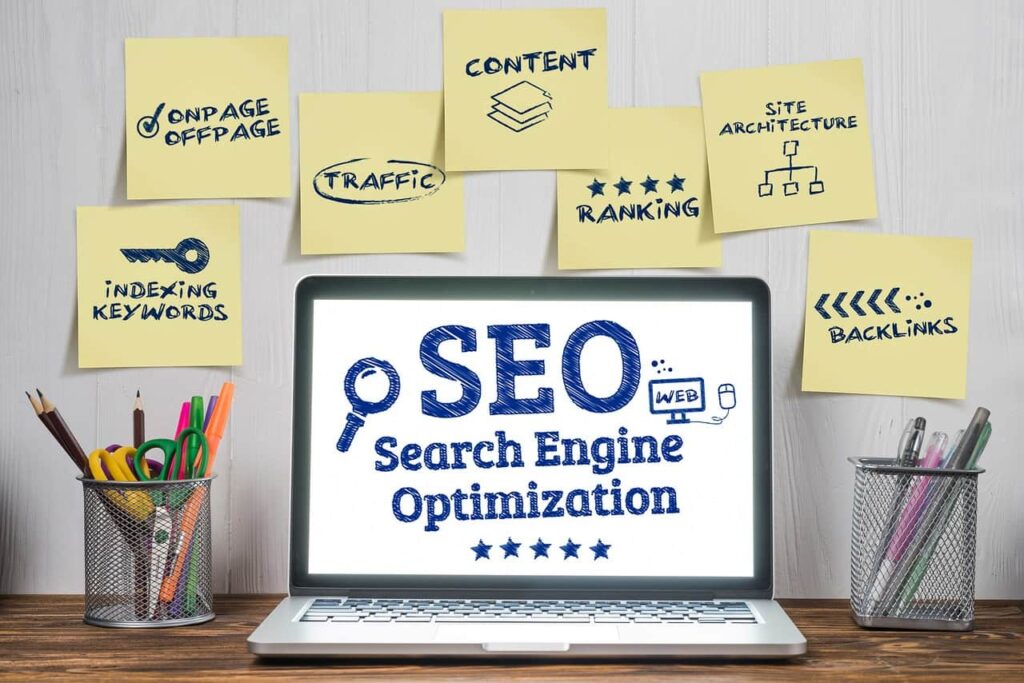
SEO is central to how visible your website is. It helps Google and other search engines connect your products and services with the people looking for them. There are two types: on-page and off-page. Here we're focused on on-page SEO, the behind-the-scenes work that has a major impact on attracting and keeping visitors. Good SEO takes significant time and expertise, which adds to the cost, but the long-term benefits usually outweigh the initial expense. Here are a few key components of SEO best practice.
- Keyword Research:
- Identify relevant keywords and phrases related to your content and target audience.
- Use professional tools to research high-volume and low-competition keywords.
- Title Tags:
- Include the primary keyword near the beginning of the title tag.
- Keep the title tag under 60 characters to ensure full visibility in search results.
- Craft compelling titles that entice clicks while accurately describing the content.
- Meta Descriptions:
- Write concise meta descriptions (around 150-160 characters) summarizing the page content.
- Incorporate relevant keywords naturally.
- Make meta descriptions engaging to encourage users to click through to your site.
- Header Tags (H1, H2, H3, etc.):
- Organize content with clear and hierarchical header tags.
- Use H1 for the main title and subsequent headers (H2, H3, etc.) for subheadings.
- Include keywords in header tags to signal the topic hierarchy to search engines.
- Content Optimization:
- Create high-quality, relevant, and engaging content that satisfies user intent.
- Include target keywords naturally throughout the content.
- Aim for a sufficient word count to provide comprehensive information (typically 500 words or more).
- Use variations of keywords and synonyms to avoid keyword stuffing.
- URL Structure:
- Keep URLs concise, descriptive, and readable.
- Include relevant keywords in the URL.
- Use hyphens to separate words for better readability.
- Image Optimization (tedious and very time-consuming):
- Use descriptive file names for images that include keywords.
- Optimize alt text to provide written context for visually impaired users and search engine crawlers.
- Compress images to improve page load speed without compromising quality.
- Internal Linking:
- Create a logical internal linking structure to connect related content.
- Use descriptive anchor text that includes relevant keywords.
- Ensure that all internal links are functional and lead to valuable resources.
- Mobile Optimization:
- Design responsive websites that adapt to different screen sizes and devices.
- Prioritize mobile usability for better user experience and better visibility in mobile search results.
- Page Speed:
- Optimize website performance for fast loading times.
- Minimize HTTP requests, enable browser caching, and reduce server response time.
- Compress files and optimize code to improve page speed scores.
- Schema Markup:
- Implement structured data markup to provide search engines with additional context about your content.
- Use schema.org vocabulary to mark up elements like reviews, events, products, and FAQs.
- User Experience (UX):
- Prioritize user-friendly navigation and intuitive website design.
- Improve dwell time and reduce bounce rates by delivering valuable and engaging content.
- Enhance site accessibility for all users, including those with disabilities.
- SSL Certificate:
- Secure your website with HTTPS to encrypt data transmitted between the user's browser and your web server.
- Google considers HTTPS to be a ranking signal that provides a slight boost to secure websites.

Security, security, security
In today's digital age, website security is paramount, not just for safeguarding sensitive information but also for maintaining the trust and confidence of your users. A professional web developer understands that a breach in security can lead to significant losses, both materially and in terms of your brand's reputation. Implementing robust security measures such as SSL certificates, regular software updates, and strong password policies helps protect against data theft, malware, and other cyber-attacks. Beyond the technical safeguards, fostering a culture of security awareness among your team and your users is equally crucial. In essence, prioritizing website security is not just about defense; it's a strategic investment in your brand's integrity and a crucial step in building a trustworthy digital presence.

Custom images
Stock images can be useful and effective. Custom visuals, though, convey your brand's message and identity in a way no one else can. Custom images, graphics and animations take more time to create, which adds to the cost, but they set a professional website apart.
Making informed decisions regarding these factors allows businesses to allocate budgets effectively and balance cost and quality for their professional websites.

Specialty plugins and other add-ons
Specialty plugins and add-ons help a professional website stand out. If you want a site that's rich in features as well as good-looking, these tools are essential. They add advanced functionality, from ecommerce and social media feeds to custom forms and interactive content.
Premium plugins cost more than their no-cost versions, but they offer reliability and support that matter when your business depends on your website. Many also require ongoing subscriptions to unlock all features and stay compatible and secure, which adds another layer of cost.
Beyond plugins, tools that make content easy to update keep your website relevant over time, and SEO tools help your content reach the audience it's meant for.
High-quality graphics and multimedia raise design costs, but they're a worthwhile investment in user experience and in expressing your brand. Together, these factors shape the cost of building and maintaining a professional website, and they give you what you need to stand out.
Pricing models
How web design agencies structure their pricing
Web design agencies use a range of pricing structures to fit different needs and budgets. Each accounts for a project's complexity, scale and requirements. Matching the right model to the project helps businesses invest wisely in their online presence.
Hourly, project-based and retainer pricing compared
Each model offers different flexibility. Hourly rates, or work-for-hire, suit ongoing work or projects whose scope isn't clearly defined. They allow for changes along the way, and you pay for exactly the time spent.
In contrast, project-based pricing provides a fixed cost for the entire web design project, offering predictability and a clear budget from the outset. This model is particularly suitable for clients with well-defined project requirements and deliverables.
Subscription or retainer models suit long-term partnerships. You secure an agency's ongoing services over time, so your website keeps evolving with your business. You typically pay monthly for specific work, which encourages proactive maintenance and updates. With the right firm, a retainer can also include marketing, branding, graphic design and video, keeping your business communications under one roof. Retainers usually require an upfront investment (onboarding) to build a new website or rework an underperforming one.
Each model has its benefits, and the right match between model and project works out well for both sides.
What websites typically cost
How web design pricing is set
Pricing in web design reflects more than competition. It reflects the value of expertise and the complexity of the work. Experienced professionals understand what different clients need and price their work to reflect both its value and their clients' expectations.
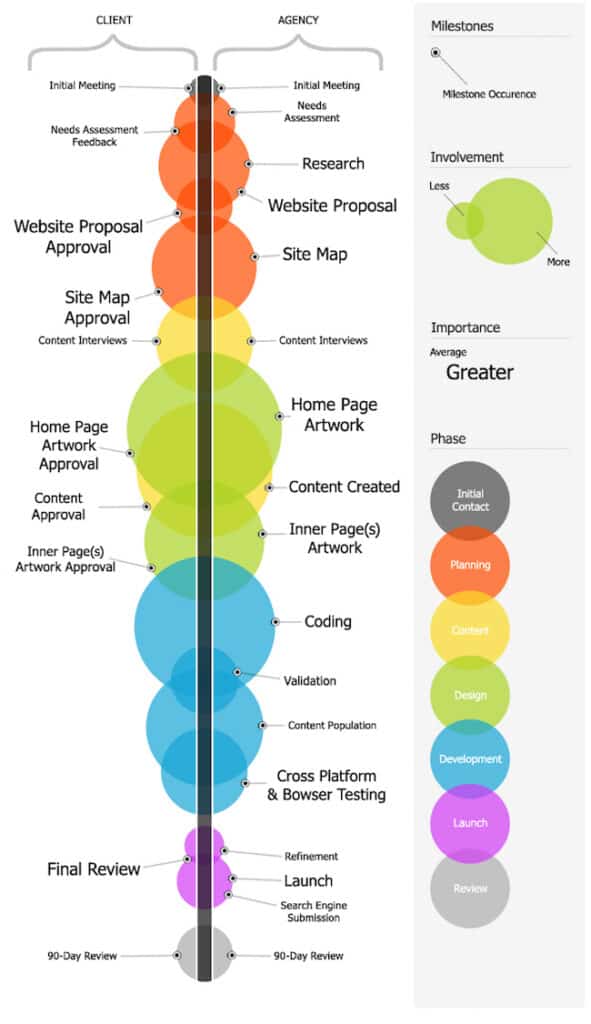
Average costs for a website design and development project
Website design and development costs vary widely, from hundreds to many thousands of dollars. Price depends on your field, the size of your company and audience, the level of customization and the features you need. Experienced designers understand what different kinds of businesses need and tailor their work accordingly. They treat a well-built website not as a transaction but as an investment in growth, because a strong online presence extends your reach and makes your business run more efficiently.
Seen that way, a website is a strategic investment rather than an operating expense. Businesses that value quality web design see the benefits, from a better user experience to more visitors who become clients.
Keeping costs under control
How to manage costs without giving up quality
Managing web development costs takes planning. Choose scalable solutions that can grow with your business, and platforms that won't need frequent overhauls; both reduce maintenance costs over time. Responsive design serves every device without the expense of a separate mobile site.
A modular approach to design and development lets you improve your site step by step instead of rebuilding it. Focusing on reusable, flexible components gives you a foundation that supports future growth. Open-source platforms like WordPress are a cost-effective, robust alternative to expensive proprietary software.
How to keep a web design project on budget
Start with clear objectives and limits. Clarity prevents misunderstandings and scope creep, the most common causes of budget overruns. A well-defined scope, built together with your developer, lets you prioritize features by their value to your users and your business goals.
An agile approach adds structure and flexibility: the project adjusts to feedback without major cost increases, and resources go where they'll have the most impact. Developers who keep up with new tools and techniques can deliver efficient solutions that make the most of your budget.

"You gotta make up your minds, you gonna stay alive and ante up or play it cheap and be on welfare the whole winter."
- Robert Shaw as Quint (Jaws 1975)
Conclusion
Why understanding web design costs matters
Understanding what professional web design costs helps you strengthen your online presence. It isn't just spending money; it's an investment. When you understand what goes into the price, you can make decisions that fit both your goals and your budget.
Key takeaways for your web design investment
Approach web development with a balanced view. Know what drives the cost and how each piece adds value. Define your website's core objectives, choose the right platform and invest in quality design and development, and you'll avoid waste while getting more from your web presence. Good planning and execution let you make the most of your budget without sacrificing quality.
Sweetpea Works is happy to talk about your website and how it can help you reach and engage your audience, so you have more time to follow up with inquiries and win new clients. See our website design services or book a strategy call.